> ## Documentation Index
> Fetch the complete documentation index at: https://docs.qobra.co/llms.txt
> Use this file to discover all available pages before exploring further.
# Webhook
## Introduction
Qobra offers a webhook solution, to automatize processes triggered by
statements lifecycle. This will enable you, for instance, to send a HTTP
request when a statement is sent to payroll.
Our customer’s main use case is to send commission amount to their payroll
system when a statement is sent to payroll.
## Setup
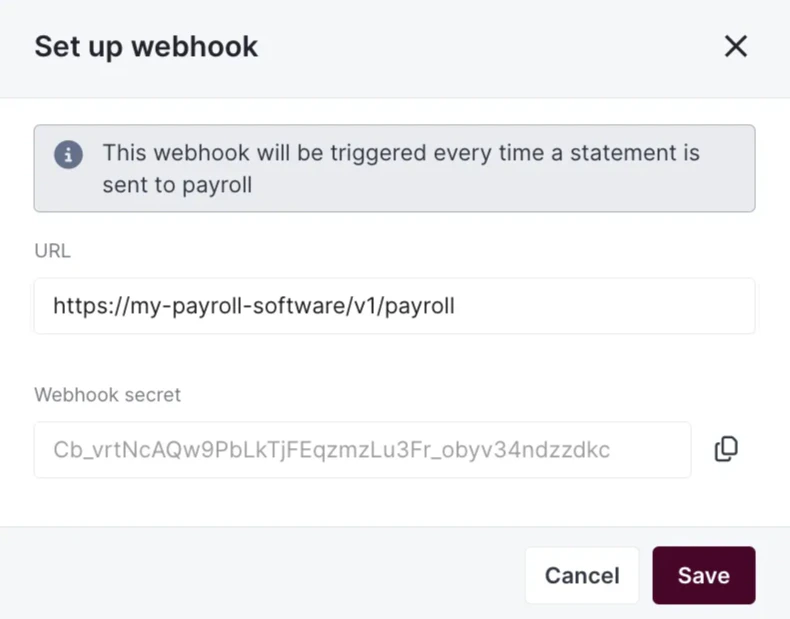
Webhook setup is pretty simple, you just have to enable it in app, choose the
URL you want to send a request to. You’ll find a webhook secret, used to
authenticate the request on the system receiving the call.
 The request sent:
* is using the `POST` method
* is secured thanks to the webhook secret, provided in a the `X-Webhook-Secret` header
* contains all statement reporting records linked to the sent to payroll statement
## Track your calls
You’ll find in Qobra a space to track all webhook calls individually, with all
information necessary to troubleshoot (body, response, status, url, timestamp …).
The request sent:
* is using the `POST` method
* is secured thanks to the webhook secret, provided in a the `X-Webhook-Secret` header
* contains all statement reporting records linked to the sent to payroll statement
## Track your calls
You’ll find in Qobra a space to track all webhook calls individually, with all
information necessary to troubleshoot (body, response, status, url, timestamp …).
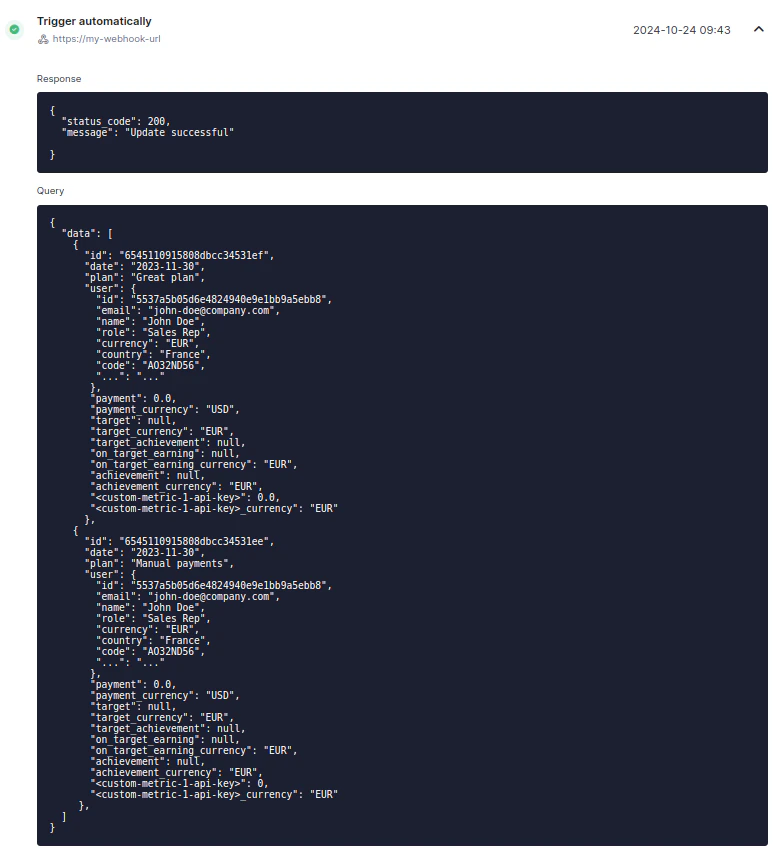 You also have the option to send back the request, if necessary.