> ## Documentation Index
> Fetch the complete documentation index at: https://docs.qobra.co/llms.txt
> Use this file to discover all available pages before exploring further.
# S3
## Introduction
Qobra can connect to your AWS account and synchronize `csv` files from an S3
bucket.
This integration is readonly and will not write anything in your S3 buckets.
## Access & setup
1. Create the S3 bucket that will hold your synchronized `csv` files.
2. Create an AWS policy with the least access needed for the integration to work:
* `s3:ListBucket`: lists S3 buckets (among restricted resources)
* `s3:GetObject`: retrieves documents from S3 buckets (among restricted resources)
The policy should look something like this:
```json theme={null}
{
"Version": "2012-10-17",
"Statement": [
{
"Sid": "VisualEditor0",
"Effect": "Allow",
"Action": [
"s3:GetObject",
"s3:ListBucket"
],
"Resource": [
"arn:aws:s3:::qobra-integration-bucket",
"arn:aws:s3:::qobra-integration-bucket/*"
]
}
]
}
```
Attach the policy to the IAM user or role to give us access to the S3 bucket.
*If you are using resource based policy, make sure the bucket policy is updated accordingly.*
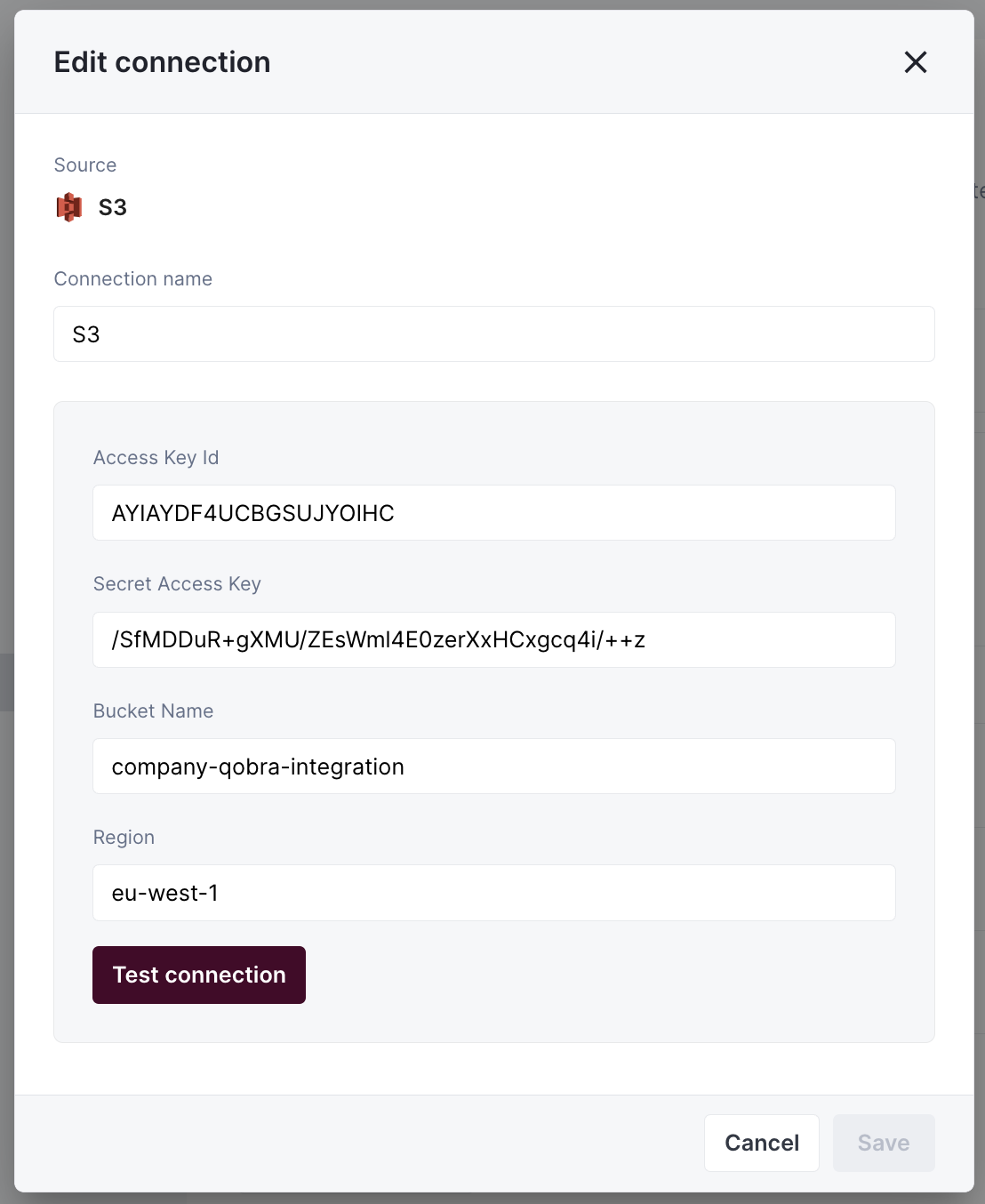
3. Fill in your bucket information in the application:
 ## Synchronization
### CSV file requirements
To synchronize a file to Qobra, it must meet requirements:
* the file has a `csv` format, with `;` separator
* the file does not change name
* the file contains a **unique identifier** column
* the file contains a **name** column
* the date values contained in the file must follow this format: `YYYY-MM-DD`
* the user values contained in the file must be emails by default, but it can
be changed in app at table creation
### Total synchronization
This integrations does total synchronization, meaning the whole document will
be synced at every refresh.
### Refresh Schedule
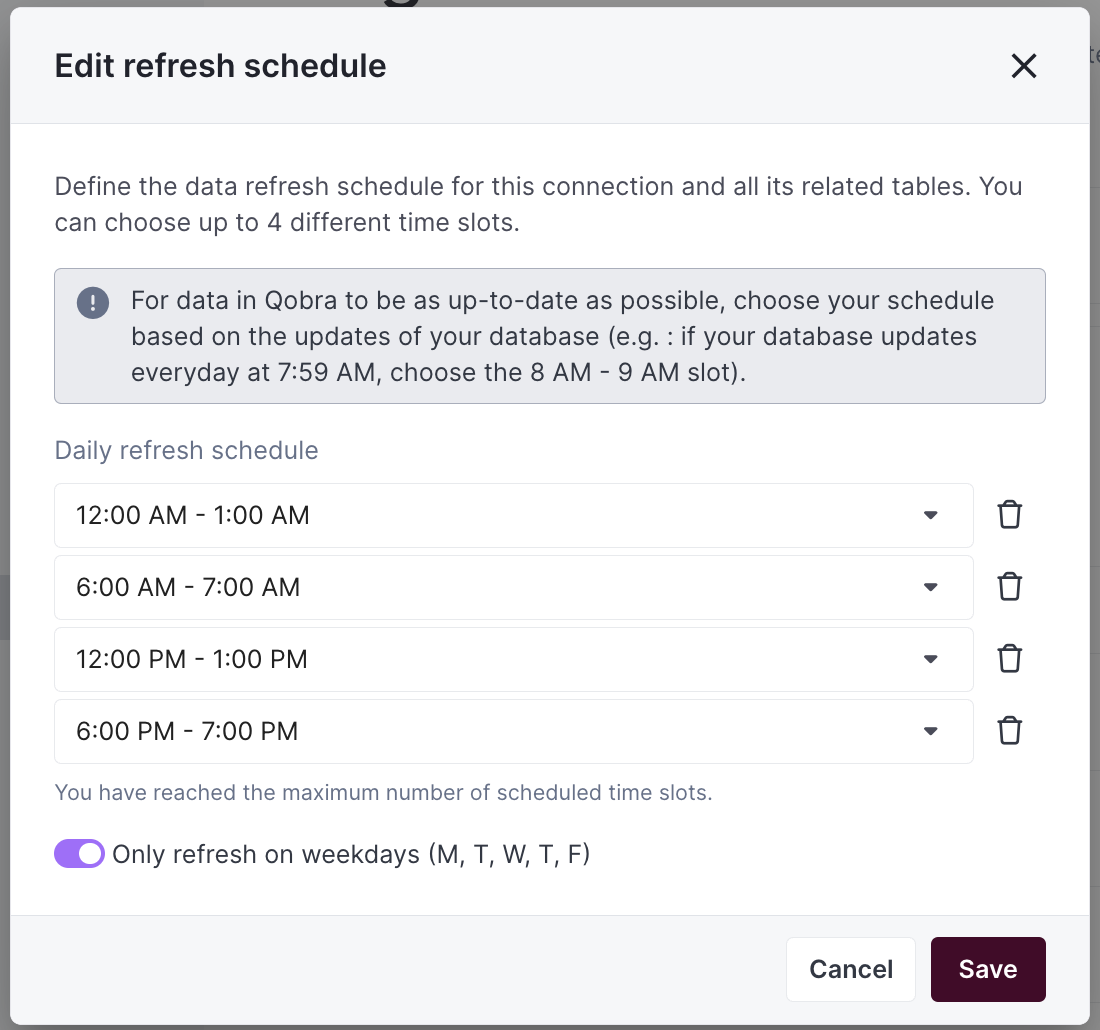
By default, we perform one Full Refresh per day to keep your data up to date. However, you can customize both the frequency and timing of these refreshes to better suit your needs:
* **Default Schedule**: one Full Refresh per day
* **Customizable Options**:
* Adjust the number of daily refreshes
* Set specific hours for the refreshes to occur
* Configure the schedule through your integration settings
* **On-Demand Updates**: Need the latest data right away? Just click the refresh button in your integration settings
## Synchronization
### CSV file requirements
To synchronize a file to Qobra, it must meet requirements:
* the file has a `csv` format, with `;` separator
* the file does not change name
* the file contains a **unique identifier** column
* the file contains a **name** column
* the date values contained in the file must follow this format: `YYYY-MM-DD`
* the user values contained in the file must be emails by default, but it can
be changed in app at table creation
### Total synchronization
This integrations does total synchronization, meaning the whole document will
be synced at every refresh.
### Refresh Schedule
By default, we perform one Full Refresh per day to keep your data up to date. However, you can customize both the frequency and timing of these refreshes to better suit your needs:
* **Default Schedule**: one Full Refresh per day
* **Customizable Options**:
* Adjust the number of daily refreshes
* Set specific hours for the refreshes to occur
* Configure the schedule through your integration settings
* **On-Demand Updates**: Need the latest data right away? Just click the refresh button in your integration settings