> ## Documentation Index
> Fetch the complete documentation index at: https://docs.qobra.co/llms.txt
> Use this file to discover all available pages before exploring further.
# Introduction
> Using the API endpoints
## Versions
The Qobra API is versioned. Breaking changes will occur when we change the version, and you'll be notified by email two months in advance.
You are currently viewing the **v1** API documentation. This version remains
fully functional and maintained.
### Migrate to v2 (recommended for reporting)
**A v2 is now available** with significant improvements to reporting endpoints:
* **Data Structures**: Tables containing your commission data (statements reporting and records reporting)
* **Schema Discovery**: Dynamically inspect available fields and their types
* **ID-Based Pagination**: Efficient navigation through large datasets using record IDs
**Endpoints migrated to v2:**
* `GET /reporting/{table_id}/statements` → see [v2 documentation](/api_reference/v2/endpoints/data/fetch_statements)
* `GET /reporting/{table_id}/records` → see [v2 documentation](/api_reference/v2/endpoints/data/fetch_records)
**New endpoints in v2:**
* `GET /data-structures` → [List data structures](/api_reference/v2/endpoints/discovery/list_data_structures)
* `GET /data-structures/{table_id}/fields` → [Get fields schema](/api_reference/v2/endpoints/discovery/get_fields_schema)
👉 **We strongly recommend migrating to v2 for all reporting use cases.**
Check out the [v1 → v2 migration guide](/api_reference/v2/migration_guide) to facilitate your transition.
All other v1 endpoints remain available and will continue to be maintained.
## Authentication
### Generate your API key
To authenticate your requests, you'll need `API keys` that can be found
in Qobra's global settings, integration section. In this section you'll be
able to manage your API keys.
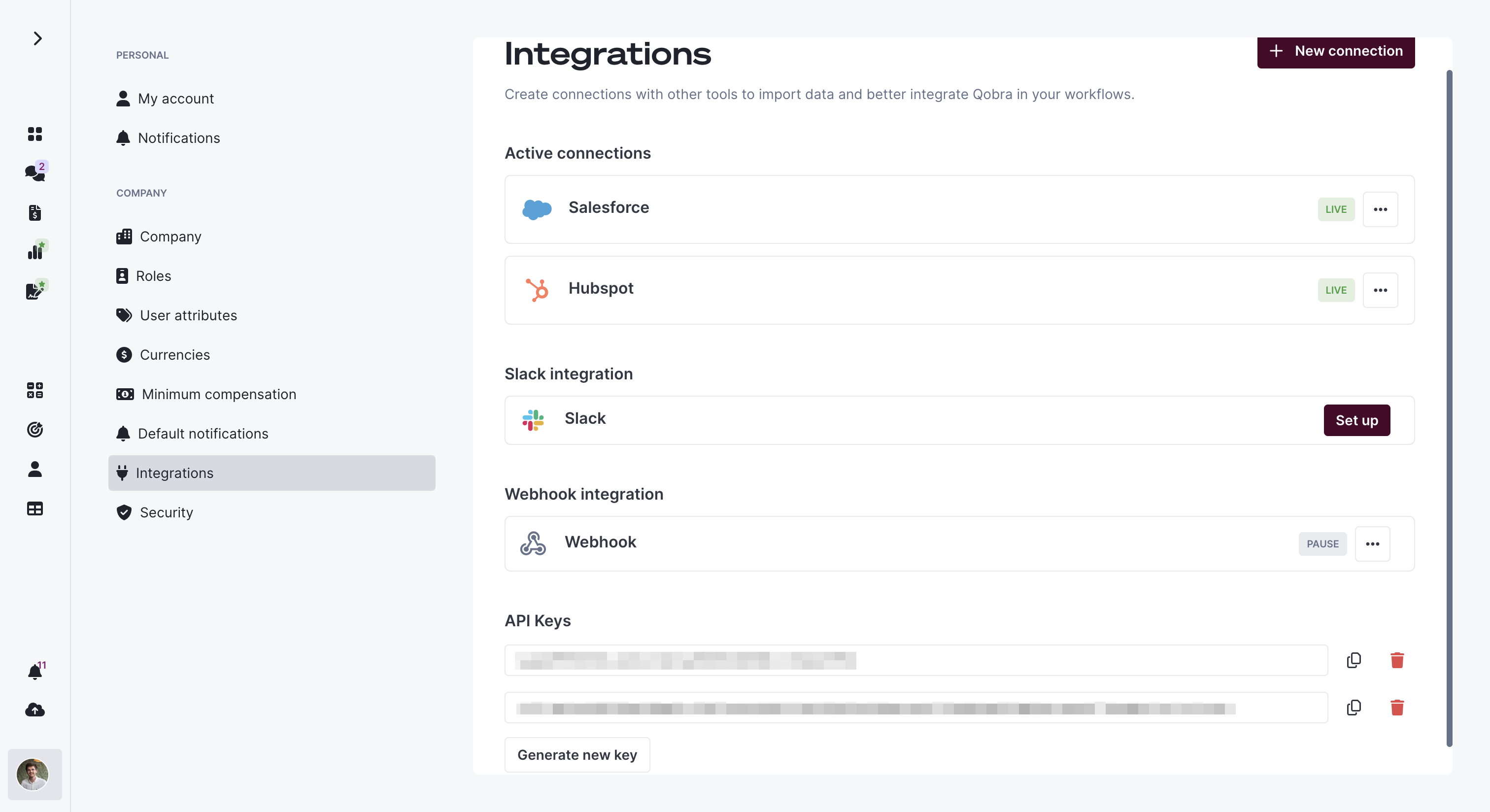 *API Keys are strictly personal and based on the user account that generated the keys.*
Once you have retrieved those keys, you can authenticate to the API using
request header
### Request Header
To identify yourself, just put a header containing the API key as specified below.
```json theme={null}
{
"X-API-Key":
}
```
## Base URL
Qobra's base api url is `https://api.qobra.co//`
For the first version of the api, you'll have to call `https://api.qobra.co/v1/`
*API Keys are strictly personal and based on the user account that generated the keys.*
Once you have retrieved those keys, you can authenticate to the API using
request header
### Request Header
To identify yourself, just put a header containing the API key as specified below.
```json theme={null}
{
"X-API-Key":
}
```
## Base URL
Qobra's base api url is `https://api.qobra.co//`
For the first version of the api, you'll have to call `https://api.qobra.co/v1/`